ls -a, ls -l
-a
If we add the flag -a to the command, we can see hidden files.
Hidden files start with a . before their name.
$ ls -a
You can see in my example, there is a hidden file called .CFUserTextEncoding. Most hidden files are added by the system. If you don't know what its for leave it alone.

-l
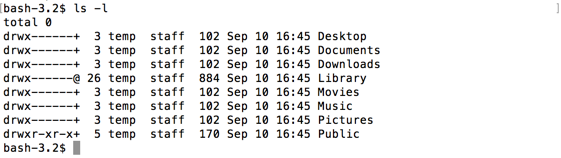
If we add the flag -l to the command, we can see a list view of the files, with lots of extra data.
$ ls -l
The file and folder names are now in the last column. The columns before it have a date string of when it was last modified, its size in bytes, and information about ownership and permissions.
-la, -al
We can also combine the flags into one, like -al or -la. The order doesn't matter, as the result will be the same. We will see a long list of our files, including any hidden files.
$ ls -la
