git branch
Let's take that sandwich metaphor literally to explore the concept of branches.
Sandwich Prep
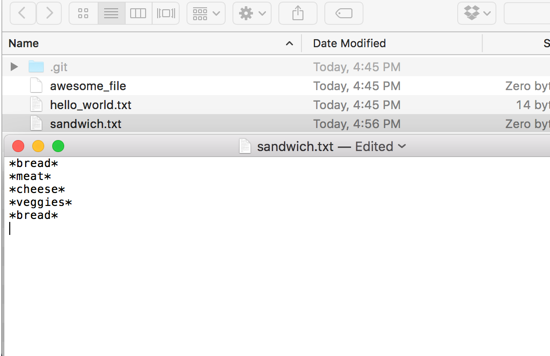
Create a sandwich.txt with the following text:
*bread*
*meat*
*cheese*
*veggies*
*bread*
You can use touch to create the file, and your editor to edit it.
$ touch sandwich.txt

Then git add and git commit it.
$ git add sandwich.txt
$ git commit -m "starting my sandwich"

git branch will show the list of all our branches and which branch we are currently on, designated by a *.
Let's check which branch we are on right now.
$ git branch

We only have one branch, the default master. It has the * as well.
Ham Sandwich
git branch <new_branch_name> will create a new branch, using your current branch as a starting point.
We have an idea for a ham sandwich, but we aren't sure its what we want. So, lets create a ham branch to try it out.
$ git branch ham
$ git branch

We have two branches listed, but we are still on master (designated by the * and green text). Let's switch to the ham branch.
git checkout <branch_name> checkouts the specified branch, allowing you to make changes.
$ git checkout ham
$ git branch

We can see that now the * is on ham.
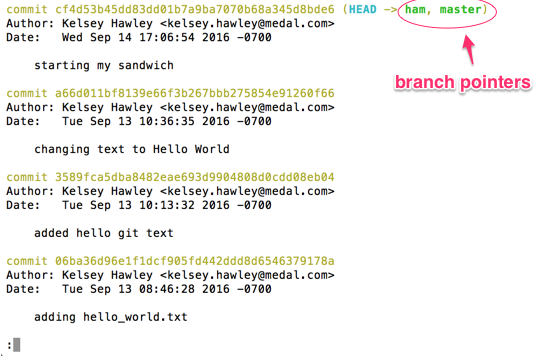
And if we look at the log, we'll see that ham has all our previous commits from master. There is also a pointer to our branch, along with master.
$ git log --decorate
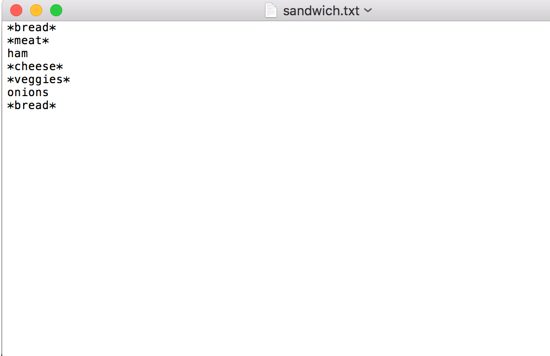
I like ham as my meat. And I also like onions. Let's edit the file like this to reflect that.
*bread*
*meat*
ham
*cheese*
*veggies*
onions
*bread*
Then git add and git commit.
$ git add sandwich.txt
$ git commit -m "i want ham"
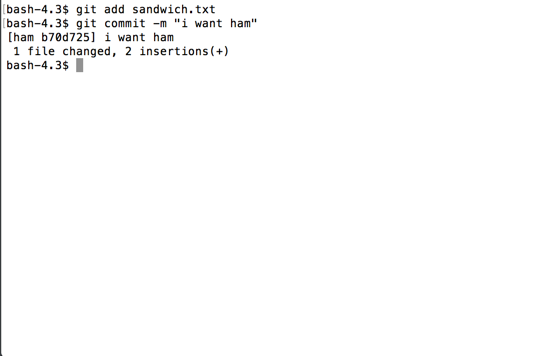
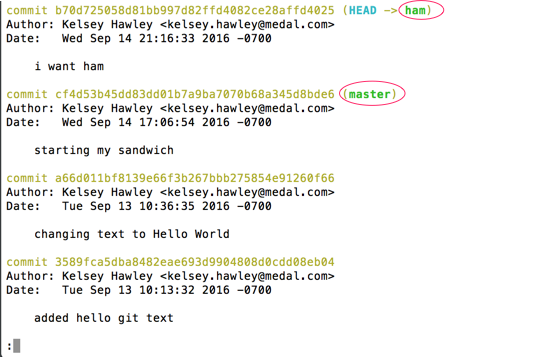
Now if I look at the git log, my ham branch pointer has moved to my most recent commit. That commit, is not on master, so the pointer to master is still on the commit below.
$ git log --decorate