Extras
Some commands we didn't cover during the tutorial but are useful to know.
git mv
If you're renaming a file, its always best to use git mv. This tells git to link the history with the file's old name and its new name.
git mv <old_name> <new_name> will perform a mv on the file and will link the history of the two file names.
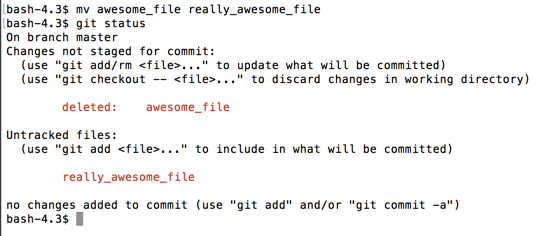
Using mv, git can't track the rename:
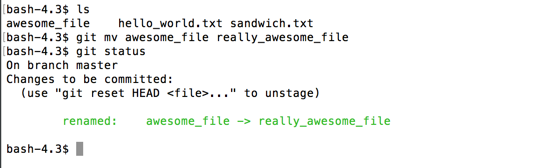
Using git mv, git is aware that the file has been relocated.
git rm
git rm is like the reverse of git add. With git add, you're adding a file to be tracked, or adding changes to a tracked file. With git rm, you are deleting that file, and telling git you don't want it tracked anymore.
git rm <file_name> will perform an rm on the file locally and tell git that it has been deleted, and will no longer be tracked.